
How to Start Integrating AI Into Your Business: A Step-by-Step Roadmap for Treasure Coast and Palm Beach SMBs
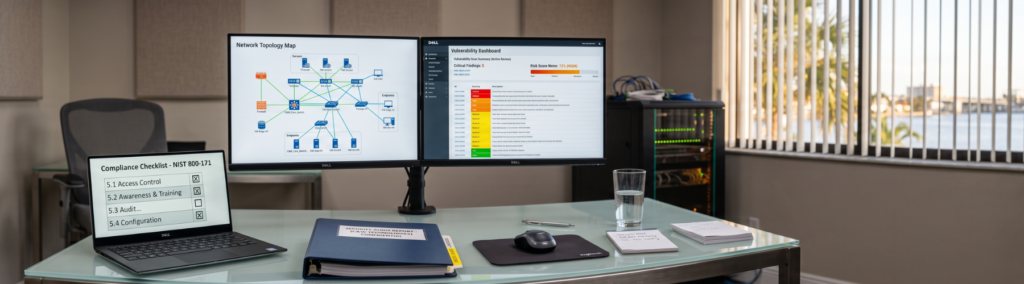
Key Takeaways
- You don’t need a full IT overhaul or an in-house data science team to start using AI in your business.
- The businesses seeing real results start with one high-friction workflow, not a company-wide rollout.
- Tools like Microsoft Copilot deliver value fastest when they’re configured around how your team already works.
- Security and compliance belong in the plan from day one, not bolted on after the fact.
Most small business owners don’t actually have an AI problem. They have a “where do I even start” problem. At C&W Technologies, we talk to business owners across the Treasure Coast and Palm Beach every week who know AI could save them hours and cut costs, but who have no clear path from curiosity to actual use. This guide lays out that path in four stages, so you can move forward with confidence instead of guessing.
What Does It Actually Mean to “Integrate AI” Into a Small Business?
For most SMBs, integrating AI has nothing to do with building models or hiring engineers. It means adding intelligent capability into the tools your team already touches every day.
That could look like Microsoft Copilot drafting a first pass of a client email inside Outlook, or a workflow that automatically routes support tickets to the right person. It could be a system that pulls data from your CRM into a report without anyone copying and pasting.
The goal is the same in every case: remove repetitive, low-value work so your team spends more time on things that actually grow the business.
Why Do So Many SMBs Stall Before They Even Get Started?
The gap between “we should use AI” and “we’re actually using AI” is wider than most people expect. The U.S. Chamber of Commerce reports that generative AI use among small businesses climbed to 58% in 2025, up from 40% a year earlier, yet a large share of those businesses describe their use as informal and unplanned rather than tied to a clear strategy.
The pattern holds at the enterprise level too. McKinsey’s State of AI in 2025 report found that 88% of organizations now use AI regularly in at least one function, but only about a third have moved past scattered testing into a structured, scaled approach.
For a small business, this usually comes down to three things: too many tool options with no way to compare them, uncertainty about data privacy and compliance, and no internal person whose job it is to own the project. None of these are reasons to wait. They’re reasons to follow a process instead of guessing.
How Do You Know If Your Business Is Ready for AI?
You don’t need perfect systems or a spotless data setup to begin. You need a few honest answers.
- Is there a task your team repeats daily or weekly that eats up real hours (scheduling, data entry, responding to the same customer questions)?
- Is your business data spread across two or more disconnected tools?
- Is there one process that consistently creates bottlenecks or errors?
- Does leadership actually want this to work, or is it a side project nobody owns?
If you answered yes to even two of these, you’re ready to move to the next stage. Readiness isn’t about technical maturity. It’s about having a real problem worth solving.
Answered yes to two or more? Let’s find your first workflow.
Our free IT assessment maps your current software, where your data lives, and which tasks eat the most staff time, before we recommend a single AI tool.
The Roadmap: Four Stages That Take You From Interested to Using AI Daily
Successful AI rollouts tend to follow a similar shape, regardless of industry. The businesses that get stuck almost always skipped a stage, usually by jumping straight to buying a tool before understanding the problem it needs to solve.
The four stages are: assess where you stand, identify the workflow with the highest payoff, choose the tool that actually fits, and roll it out with security built in from the start. Here’s what each one looks like in practice.
Stage 1 and 2: Assess Readiness, Then Find the Workflow Worth Automating First
A readiness assessment doesn’t need to be complicated. It’s a short, honest audit of your current software, where your data lives, and which tasks take up the most staff time relative to their value. This is where C&W Technologies’ AI Strategy & Consulting work starts, mapping your existing environment before recommending anything.
Once you understand your starting point, resist the urge to automate everything at once. Pick one workflow with a clear before-and-after: a support inbox that takes too long to triage, a data-entry process prone to errors, or a reporting task that pulls from three different systems. A single working win builds internal trust in AI faster than any pitch deck ever will.
Stage 3: Choose Tools That Match the Job, From Copilot to Custom Automation
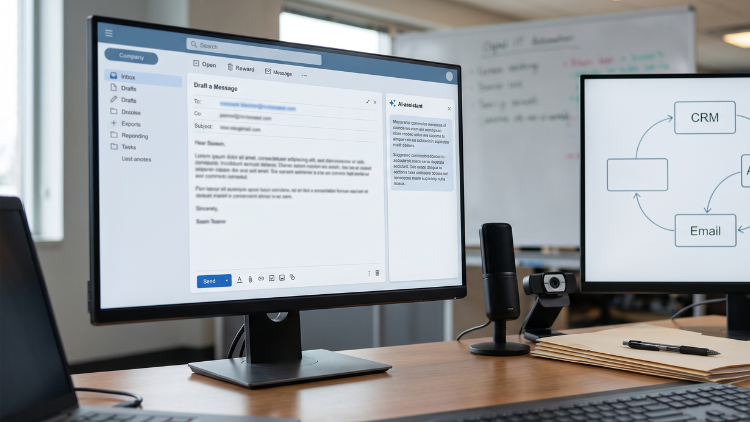
Not every problem needs custom software. If your team already lives in Microsoft 365, Copilot configured around your actual workflows can handle drafting, summarizing, and searching across your files with minimal setup. C&W’s Microsoft Copilot Solutions work covers tenant configuration, workflow customization, and team training so adoption actually sticks.
For processes that cross multiple systems, such as syncing a CRM, an ERP, and your inbox, purpose-built workflow automation tends to be the better fit. The right choice depends entirely on where the friction lives in your business, which is exactly why the assessment in Stage 1 matters so much.
Stage 4: Roll Out With Security and Compliance Built In
This is the stage most SMBs skip, and it’s the costliest one to skip. For a business in healthcare, finance, or another regulated field, the risks of poor data governance and inadequate security are even greater.
Client records, financial details, and patient data all need to stay inside systems with proper access controls and audit trails, even when AI is handling part of the process. C&W’s AI Security & Compliance approach builds data governance and monitoring into the rollout itself, not as an afterthought once something goes wrong.
Final Takeaway
None of the four stages above require a leap of faith. They require one honest look at where your team’s time is going, one workflow worth fixing first, and a plan that treats security as part of the build. The businesses that get real value from AI aren’t the ones with the biggest budgets. They’re the ones that started with a plan.
Getting Started With a Partner Who Knows the Territory
Bringing AI into your business doesn’t have to mean betting on the wrong tool or exposing client data in the process. For more than 40 years, C&W Technologies has helped businesses across the Treasure Coast and Palm Beach modernize their operations with the same hands-on, local support that built that reputation.
Our team has guided over 500 businesses through technology changes, and we design every AI workflow around measurable, reliable outcomes, including a 99.9% automation accuracy target. If you’re ready to move past the “where do we start” stage, a free consultation with C&W Technologies is the most straightforward next step.
Frequently Asked Questions
How long does it typically take to integrate AI into a small business?
A single, well-scoped workflow (like Copilot deployment for a team or automating one support process) often goes live within a few weeks. A broader rollout across several departments takes longer, but the timeline depends entirely on how clean your current systems and data already are.
Is Microsoft Copilot enough, or do I need custom automation too?
It depends on where your bottlenecks live. If most of your team’s time is lost inside email, documents, and meetings, Copilot alone can make a real dent. If the real friction is data moving (or not moving) between separate systems like your CRM and accounting software, workflow automation usually delivers more value.
What’s the biggest mistake SMBs make when they start with AI?
Trying to automate everything at once, without a plan for security or data governance. A single, well-chosen workflow with proper access controls in place beats a scattered rollout across five tools with none.