
Key Benefits of VoIP for Remote Workers
Key Takeaways
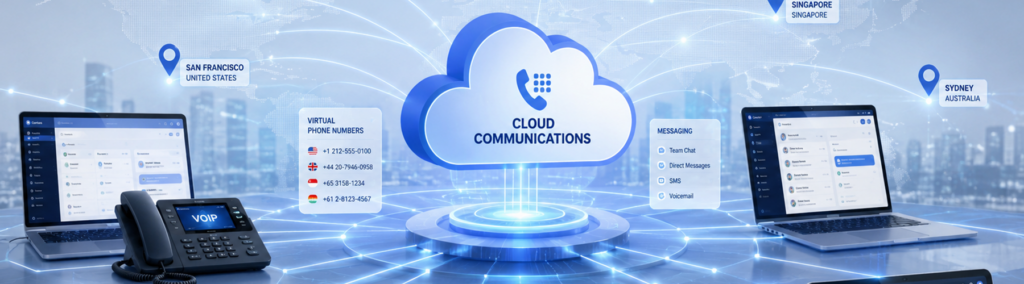
- Flexible communication lets remote workers make and receive business calls from any device, anywhere.
- Call forwarding ensures no business call goes unanswered, regardless of where an employee is working.
- Virtual numbers give remote employees a consistent local business presence without a physical office.
- True mobility means remote workers are fully reachable, whether they are at home, on the road, or at a client site.
Remote work has changed the way businesses operate, and communication is at the center of that change. When employees are spread across home offices, client sites, and different cities, keeping everyone reachable and productive is a real challenge. VoIP (Voice over Internet Protocol) was built for exactly this kind of environment. It gives remote workers the same professional communication capabilities they would have in a physical office, without being tied to a desk or a physical phone line.
At C&W Technologies, we have helped South Florida businesses modernize their communication systems since 1985. The businesses that have made the switch to VoIP consistently tell us the same thing: their remote teams are more reachable, more productive, and more professional. Here are the key benefits of VoIP for remote workers, and why each one matters for your business.
Does VoIP Give Remote Workers Flexible Communication
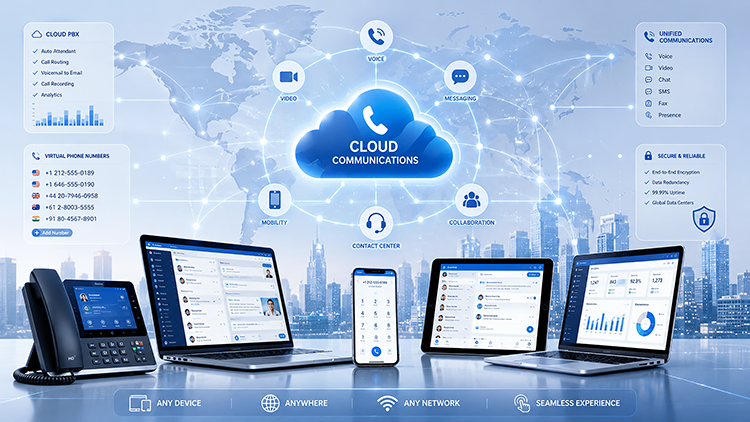
Yes, and flexibility is the foundation of everything else VoIP offers remote teams. Traditional phone systems anchor employees to a specific desk and a specific location. If they are not sitting at that desk, they are unreachable through their business line. VoIP removes that constraint entirely.
A remote worker using VoIP can make and receive calls from a desk phone at home, a softphone app on their laptop, or a mobile app on their smartphone. All three options use the same business number, access the same voicemail, and connect to the same phone system as the main office. For the person on the other end of the call, nothing looks or sounds different.
This flexibility is not just convenient. It is operationally important. When a customer calls your business, they should reach a professional, capable representative, regardless of where that person is sitting. VoIP makes that possible consistently, and C&W Technologies configures these systems so remote workers are ready on day one.
How Does Call Forwarding Help Remote Workers Stay Reachable
Call forwarding is one of the most immediately useful features VoIP brings to remote teams. Rather than routing every call to a single phone that may go unanswered, VoIP systems can forward calls intelligently based on rules that fit how your team actually works.
You can forward calls to a mobile device when someone steps away from their desk. You can set up simultaneous ring, so a call rings on a desk phone and a mobile at the same time, and whoever picks up first handles it. You can also configure sequential forwarding, so if one person does not answer, the call moves automatically to a colleague or backup line.
For remote teams operating across different schedules or time zones, these rules prevent the single most frustrating customer experience: calling a business and getting no answer.
What Do Virtual Numbers Do for Remote Employees
A virtual number is a business phone number that is not attached to any physical location or device. It routes calls to wherever the employee is, through whatever device they are using, without revealing their personal phone number or home address. For remote workers, this distinction matters on several levels.
First, it maintains a professional boundary. Remote employees do not need to give clients their personal cell numbers. They receive and return calls through their business number, keeping their private contact information separate. Second, virtual numbers allow businesses to maintain a local presence even when employees are working remotely from different areas.
A South Florida business can assign its remote workers local area code numbers, reinforcing regional credibility with clients who prefer working with locally-based companies.
Virtual numbers can also be created for specific departments, campaigns, or service lines, giving businesses more control over how calls are tracked and routed without adding physical infrastructure.
How Does VoIP Improve Team Collaboration for Remote Workers
When teams work in the same office, collaboration happens constantly in small, informal ways. A quick question across a desk, a brief hallway conversation, a glance to see if a colleague is busy. Remote work eliminates all of that. Without a deliberate replacement, communication slows down and gaps appear.
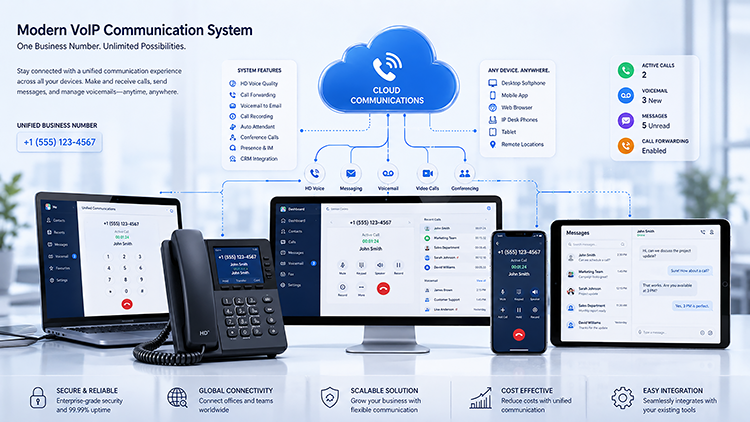
VoIP platforms built for modern businesses include collaboration tools that recreate those informal interactions in a structured way. Team messaging, video calls, presence indicators, and file sharing are often integrated directly into the same platform as the phone system. A remote worker can see that a colleague is available, send a quick message, and escalate to a voice or video call in a single workflow without switching applications.
Does VoIP Give Remote Workers True Mobility
Mobility goes beyond simply working from home. True mobility means a remote worker is fully capable of handling business communications from any location, whether that is a home office, a client site, a coworking space, or a car. VoIP delivers this because the phone system lives in the cloud, not in a building.
Softphone applications, available for iOS, Android, Windows, and Mac, turn any device into a fully functional business phone. Calls connect through the internet, so as long as the remote worker has a reliable connection, call quality remains consistent. They can transfer calls, check voicemail, join conference calls, and access the company directory from anywhere they happen to be working that day.
For South Florida businesses with field technicians, sales reps, or employees who travel regularly, this mobility eliminates a persistent operational gap. Your team is reachable and functional regardless of their physical location. Our VoIP business phone solutions are configured to perform reliably even on standard home internet and mobile data connections.
How Easily Does VoIP Scale as Remote Teams Grow
Growth creates immediate pressure on communication systems. With a traditional PBX setup, adding a new remote employee meant ordering a new line, shipping hardware, scheduling an installation, and waiting days or weeks for the process to complete. During that window, the new hire was operating without a proper business phone.
VoIP removes almost all of that friction. Adding a new user is typically done through a web-based administration dashboard. The new employee downloads the softphone app, logs in with their credentials, and they are immediately connected to the full phone system with their own extension, voicemail, and business number. The entire process can take minutes.
This scalability works in reverse as well. If a business reduces headcount seasonally or restructures a remote team, lines can be deactivated just as quickly. There is no hardware to return, no contracts to renegotiate, and no technician visit required. For SMBs that experience growth cycles or fluctuating team sizes, that flexibility has a direct impact on operating costs.
This matters for a growing share of the market: 73 percent of businesses with fewer than 500 employees now offer fully flexible work policies, meaning scalable communication infrastructure is no longer optional for SMBs.
How Much Can Remote Businesses Save by Switching to VoIP
Cost savings are one of the most measurable benefits of VoIP for remote operations, and the numbers are significant. Traditional PBX systems carry hardware purchase costs, ongoing maintenance fees, per-minute charges for long-distance calls, and substantial upgrade expenses when equipment becomes outdated. Those costs multiply when a business is trying to support remote workers who need their own lines or call forwarding setups.
VoIP replaces most of that expense with a flat, predictable monthly subscription. Long-distance calls are typically included at no additional charge. Hardware costs are minimal because most remote workers use softphone apps on devices they already own. Industry data consistently shows businesses reducing communication costs by 30 to 50 percent after switching from legacy phone systems to VoIP, with remote-heavy teams often seeing savings at the higher end of that range.
Final Takeaway
Every benefit of VoIP for remote workers connects back to one core outcome: your team communicates professionally and reliably regardless of where they are working. Flexible communication, smart call forwarding, virtual numbers, collaboration tools, true mobility, instant scalability, and significant cost savings each address a specific gap that remote work creates in traditional phone systems.
C&W Technologies has been supporting South Florida businesses with technology solutions since 1985. Our team understands the specific communication challenges SMBs face, and our VoIP business phone solutions are designed to give remote workers everything they need to represent your business at its best. From initial setup to ongoing support, we handle the details so your team can focus on the work that matters. Contact us today to find out how VoIP can strengthen your remote operations.
Frequently Asked Questions
Can remote workers use VoIP on their personal smartphones?
Yes. Most VoIP platforms offer mobile apps for iOS and Android that give remote workers full access to their business phone system through their personal device. Calls appear to come from the business number, and the employee’s personal number is never exposed to clients or colleagues. C&W Technologies handles the app configuration and deployment so remote workers are set up correctly from day one.
What internet speed does a remote worker need for VoIP calls?
VoIP calls use relatively little bandwidth. A single voice call typically requires around 100 kbps of upload and download speed. Most home broadband connections handle multiple simultaneous VoIP calls without any issue. Video calls and collaboration features require a bit more bandwidth, but standard home internet plans are generally sufficient. C&W Technologies reviews your team’s connectivity during the setup process to flag any potential issues before they affect call quality.
Is it possible to keep existing business numbers when switching to VoIP?
Yes. The process is called number porting, and it allows businesses to transfer their existing phone numbers from a traditional carrier to a VoIP provider. Clients and contacts keep the same number they have always used, with no disruption to inbound calls. C&W Technologies manages the porting process and coordinates with your existing carrier to ensure a smooth transition.
How does VoIP handle voicemail for remote workers?
VoIP voicemail works like a traditional system but with additional features suited to remote work. Messages can be accessed from any device, forwarded to email as an audio attachment, or transcribed to text so remote workers can read messages without listening to them. Notification settings ensure employees are alerted immediately when a voicemail arrives, regardless of what device they are using at the time.