
VoIP Installation for Stuart and Port St. Lucie Businesses: What Happens, Step by Step

A business VoIP installation usually takes two to four weeks for an office of 5 to 30 people. Most of that time goes to number porting and network prep, not hardware. The switchover itself often takes a few hours and can happen after closing, so customers keep reaching you on a hosted VoIP business phone system.
What happens during a business VoIP installation?
A business VoIP installation moves through six stages, and several overlap:
- Assessment. Count users and lines, and map call flows (who rings first, what happens after hours).
- Network check. Confirm internet speed, the firewall, and whether switches can power desk phones.
- Number porting. Paperwork goes to your current carrier.
- Setup. Users, the auto-attendant, voicemail-to-email and mobile apps are built ahead of time.
- Cutover. Numbers move and test calls run.
- Training and tuning. Staff learn the basics; settings get adjusted.
The step people rush is the first. Alarm panels, elevator phones and fax machines sometimes still run on copper lines, and they’re easy to forget until that line is shut off. That’s why discovery and assessment come first at C&W Technologies.
How long does VoIP installation take from start to finish?
For most small offices, VoIP installation takes about two to four weeks end to end, with only a few days of hands-on work.
| Stage | Typical time | What you provide |
| Assessment | 1 to 3 days | A recent phone bill, list of users |
| Network check | 2 to 5 days | Router and internet account access |
| Number porting | 1 to 3 weeks | Signed authorization, account details |
| Setup | 3 to 7 days, during porting | Call flow choices, greetings |
| Cutover | A few hours | One person on site |
| Training and tuning | First week | 30 to 60 minutes per group |
For businesses in Stuart and across the Treasure Coast, the calendar matters too. CPA firms usually want the switch done before January so tax season isn’t the test run. Offices that get busier with seasonal residents from November to April often prefer fall. Hurricane season runs through November 30, so avoid booking cutover when a storm is in the forecast.
How does number porting work, and why does it take the longest?
Porting moves your existing numbers to the new provider, and it takes the longest because two carriers must agree on every detail. Under FCC rules on keeping your phone number, a simple port (generally one line with no complex switching changes) must be processed within one business day.
Most business ports aren’t simple. A main number with rollover lines or a toll-free number usually makes it complex, and those often take one to three weeks once paperwork and rejections are counted.
The usual delay is a mismatch. If the name, service address or account number doesn’t match the current carrier’s records exactly, the port is rejected and the clock restarts.
Don’t cancel your old service until the port is confirmed complete; canceling early can release the number.
Will our phones go down during the switch?
Your phones should not go down if cutover is planned well, because the old lines keep working until the port completes. On cutover day, a technician typically confirms that:
- Inbound calls ring the right phones
- Outbound calls show the correct caller ID
- Voicemail reaches the right inbox
- 911 dials directly and reports the right address
That last check is a legal requirement. The FCC’s 911 rules for multi-line phone systems require office systems to let users dial 911 without a prefix like 9. They also call for an on-site notification when 911 is dialed and a usable location for dispatchers, such as the street address plus suite or floor.
Do we need new desk phones, or can staff use apps and Teams?
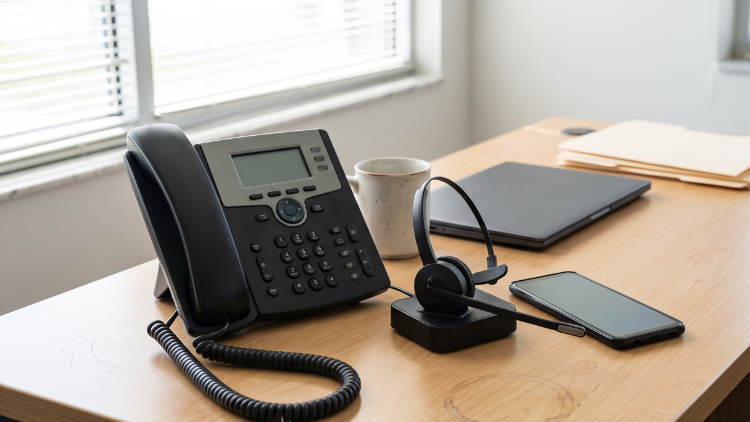
You don’t necessarily need new desk phones; many offices mix desk phones, computer softphones and mobile apps on one system. Reception usually keeps a desk phone, while hybrid staff often use the app. Our post on VoIP for remote workers covers that setup. If your team already works in Microsoft 365, Microsoft Teams Calling puts business calls inside Teams.
Desk phones raise network questions. Most draw power from the network switch (Power over Ethernet), so an older switch may need replacing. That falls under network and infrastructure work. A battery backup on that switch keeps phones running through short power blips during summer storms.
What should we do in the first week after go-live?
Test the system the way customers use it. Call your main number from a cell phone, including after hours, and check the greeting and routing. Ask staff to note the time of any choppy audio; those notes point straight to network settings.
It’s also time to turn on skipped features. Our guide to the VoIP features worth setting up covers the useful ones, and our look at VoIP unified communications explains when to add messaging and video. If you’d like our team to handle porting, setup and testing, call (772) 287-5215 or schedule a free consultation.
Final Takeaway
- Plan for two to four weeks, with number porting as the longest step.
- Keep your old phone service active until the port is confirmed complete.
- Test 911, caller ID and after-hours routing before calling the job done.