
Cloud Backup & Disaster Recovery in Stuart & the Treasure Coast
Backups that have actually been restored, and a plan for the week after a hurricane.
What is the difference between backup and disaster recovery?
Backup is a copy of your data. Disaster recovery is a plan for getting the business running again. They are not the same thing, and having the first does not give you the second. C&W Technologies provides both to Treasure Coast businesses from Stuart, Florida.
The distinction becomes concrete after an incident. A backup answers whether the data still exists. Disaster recovery answers how long you will be down, which systems come back first, and what people do in the meantime.
Two numbers define it. How much data you can afford to lose, measured in time since the last good copy. And how long you can afford to be down. Both should be decided deliberately rather than discovered during an outage.
On the Treasure Coast there is a specific version of this problem. A backup sitting on a drive in your office is not a backup once the building floods.
Why most backup setups fail when needed
-
Nobody tested a restore
A backup job reporting success only proves it ran. Whether the data comes back is a separate question, and the answer arrives at the worst moment.
-
The only copy is in the building
A local backup covers a deleted file. It does not cover fire, flood or theft, which on this coast is not hypothetical.
-
Cloud data is assumed to be covered
Microsoft 365 and similar services keep the platform running. They are not a backup of your content.
-
There is no recovery order
Restoring everything at once is slow. Without an agreed order, the systems that matter most come back whenever they happen to.
What's included
-
Offsite backup
Encrypted copies held away from your premises, on a schedule set by how much data you can afford to lose.
-
Microsoft 365 backup
Independent backup of mail, files and collaboration data, separate from Microsoft own retention.
-
Verified restores
Regular test restores, so recovery is something we have demonstrated rather than something we expect.
-
A written recovery plan
Which systems come back first, who does what, and how people work while it happens. Written down, not held in one person head.
-
Ransomware-resistant copies
Backups an attacker who reaches your network cannot quietly delete or encrypt, which is what modern ransomware attempts first.
-
Hurricane season preparation
Pre-storm checks and hardening before a named storm, and a defined order for bringing systems back afterwards.
What changes
-
Recovery becomes a known quantity
You can state how long you would be down and how much data you would lose, because it has been tested.
-
Ransomware stops being existential
Clean, isolated copies mean an attack becomes an expensive disruption rather than a decision about paying.
-
Storm season is planned for
A defined checklist before a storm and a recovery order after it, rather than improvisation.
-
The plan survives staff changes
Written procedures mean recovery does not depend on one person being reachable.
What we deploy
| Tool | What it does for you |
|---|---|
| Backup and recovery platform | Runs scheduled backups and, critically, supports tested restores rather than only reporting job success. |
| Offsite encrypted storage | Copies held away from your premises and encrypted in transit and at rest. |
| Microsoft 365 backup | Independent protection for mail, OneDrive, SharePoint and Teams content. |
| Immutable retention | Copies that cannot be altered or deleted for a set period, which is what defeats ransomware that targets backups. |
| Recovery documentation | The written plan, kept current, naming systems, order and responsibilities. |
How this looks in different industries
-
Medical practices
The problem A day without the EHR is a day of canceled appointments, and backups containing PHI carry their own obligations.
What we do Recovery ordered around clinical systems first, with encryption and documentation that supports a HIPAA risk assessment.
-
CPA firms
The problem An outage during filing season is measured in client deadlines rather than hours.
What we do Recovery targets set for the season, with restores tested before it begins rather than during.
-
Law firms
The problem Case files are irreplaceable, and a loss involving client material is an ethics problem before it is a technical one.
What we do Document systems prioritized in the recovery order, with verified restores and a written account of what is protected.
-
Construction and manufacturing
The problem Project files, plans and production systems, often with equipment that cannot simply be reimaged.
What we do Recovery planned around what actually stops work, including the systems that cannot be rebuilt quickly.

You ask, we answer
How often should backups run?
It depends on how much work you can afford to redo. A practice that would lose a morning of records needs something very different from a firm that could rebuild a day. We set the schedule from that answer rather than a default.
Do you test that backups actually restore?
Yes, on a schedule. An untested backup is an assumption. Testing is the part most providers skip and the part that decides whether recovery works.
Is Microsoft 365 already backed up?
Not in the sense most people mean. Microsoft keeps the service running and applies limited retention. Recovering something deleted beyond that window needs independent backup.
What happens in a ransomware attack?
Backups are held so an attacker who reaches your network cannot delete or encrypt them. That is what makes recovery possible without engaging with a demand.
How long would it take to get running again?
That is a number we set with you and then test against, rather than one we assert. It differs by system and by how much you are prepared to invest in speed.
What about hurricane season?
Offsite copies mean the data survives whatever happens to the building. We also run pre-storm checks and follow a defined order for bringing systems back.
Can you back up an old server that cannot be replaced?
Usually yes, and it is often the most important thing to protect precisely because it cannot easily be rebuilt.
More on Cloud Backup & Disaster Recovery
-
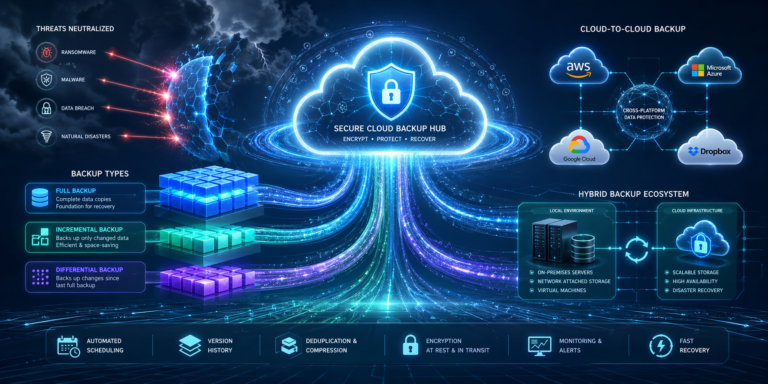
7 Types of Cloud Backup Every South Florida Business Should Know
Key Takeaways Not all cloud backup methods are created equal. Each type serves a different purpose, speed requirement, and storage cost Full…
-

Cloud Backup Strategies Every SMB Needs to Protect Their Business Data
Key Takeaways Automated, scheduled backups eliminate the risk of human error and missed backup windows. Immutable backups protect your data even if…
-

6 Key Benefits of Cloud Backup Every South Florida SMB Needs to Know
Key Takeaways Cloud backup protects your business from data loss caused by hardware failure, human error, ransomware, and natural disasters Automated backup…
-

What Is Cloud Backup: How It Works, Why It Matters, and What South Florida SMBs Must Know
Key Takeaways Cloud backup automatically stores copies of your business data on secure, remote servers. Protecting you from loss due to cyberattacks,…
-
Hurricane Season Preparedness for Technology
Many prepare their storm shutters, first aid kit, evacuation routes, supplies, loose items and hurricane preparation checklist for this time of year.…
More of what Cloud IT Services covers
This page is one part of Cloud IT Services from C&W Technologies.
-
Cloud Migration
A cloud migration moves your files, email, servers or applications off hardware in your office and into hosted infrastructure.
-
Microsoft 365 Support
Managed Microsoft 365 support means somebody owns your tenant: the accounts, licenses, security settings, mailboxes and the data inside them.